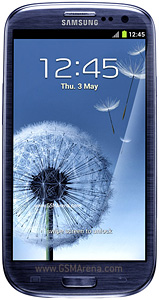
Adobe Flash Player 11 Apk untuk Android

download Adobe Flash Player 11 Apk untuk Android
meningkatkan kemampuan browser perangkat Anda untuk mengakses Flash Player-video, game, aplikasi & banyak lagi

Adobe Flash Player menambah pengalaman browsing web lengkap dengan memungkinkan akses ke konten interaktif favorit Anda.

Adobe Flash Player pada perangkat Anda memberi Anda:
• Kebebasan untuk mengakses konten web yang sama kaya Anda mengalami pada PC desktop dari ponsel - di mana saja, kapan saja;
• Uncompromised browsing tanpa kotak kosong di halaman web. Untuk melihat beberapa contoh bagaimana Flash Player memungkinkan Anda untuk melihat konten favorit interaktif pada perangkat Anda

CATATAN: mungkin flash player tidak compatible untuk hp android anda, karena ini bekerja dengan baik Untuk Android 3 (honeycomb) atas diatasnya. kami sangat menyarankan agar Anda memperbarui OS Anda untuk setidaknya Android 3.1 untuk memastikan bahwa Adobe Flash Player memberikan pengalaman terbaik mungkin.

latest update : new version V 11.1.111.10 | mediafire | descargar | galaxy mini
support Android : android 1.5 cupcake, android 1.6 donut, android 2.0 / 2.1 eclair, android 2.2 froyo, android 2.3 gingerbread, android tablet 3 honeycomb, android 4 ice cream sandwich or above
[ download ] Adobe Flash Player 11 Apk untuk Android

Adobe Flash Player 11 Apk untuk Android

Adobe Flash Player 11 Apk untuk Android
disclaimer: if this app is not FREE, please buy in android market or visit developers website
Please support the developers if you like their app.
tags : aplikasi android samsung galaxy, game, app, apps, support android phone: hp, ponsel, seluler, cell, samsung galaxy, young, ace, mini, s 2,sony mobile, nokia, sony ericsson xperia, x10, x8, motorola, LG, HTC, droid, nexus, s, nexian, zte, htc and all android phone
Read More..

Berlusconi blackmail suspect arrested

' Italian police arrested a businessman on charges of allegedly extorting money
from Premier Silvio Berlusconi to ensure the man's cooperation in a probe over
recruiting prostitutes to attend wild parties at Berlusconi's home. Related
Stories Prostitute 'tax metres' imposed in Germany Britons to be quizzed over
Norway massacre Prostitute 'tax meters' imposed in Germany 12 held after Ibiza
drugs swoop '
Read More..

download Opera Mini 7 0 3 apk untuk Android browser

download Opera Mini web browser 7.0.3 apk untuk Android - opera mini terbaru untuk android
inilah opera mini terbaru untuk hp android, browset tercepat, terbaik dan terpopuler untuk android ini kini telah merilis versi terbarunya yaitu opera mini v7.0.2 apk
browser opera mini adalah browser untuk hp terpopuler di dunia, tersedia juga untuk symbian, iphone, blackberry, dan java. juga tersedia versi opera mobile android

Opera browser tercepat mobile yang dapat menghemat uang untuk data. Benar-benar gratis.
Cobalah browser tercepat di dunia Android!

- CEPAT: kecepatan Opera dan kontrol efisien terdepan semua browser lainnya.
- MUDAH: menjelajah Web pada ponsel Anda dengan mudah seperti pada komputer desktop.
- HEMAT UANG: Mengurangi biaya data hingga 90% dengan teknologi kompresi yang unik kami.

fitur hebat opera mini Android:
- Speed ​​Dial menampilkan semua situs Web favorit Anda dalam sekejap. Menarik mereka dengan satu keran!
- multi Tabs membiarkan Anda tetap membuka beberapa halaman dan beralih di antara mereka.
- internet gratis
 - idm android
Lihat juga Opera Mobile, pengalaman premium ketika pada Wi-Fi atau wireless broadband.

Opera Mini v7.0.2 apk untuk Android | mediafire | 800KB
support android : androi 1.5 keatas, 1.6 android, 2.0, 2.1 keatas android 2.0 / 2.1 eclair, android 2.2 froyo, android 2.3 gingerbread, android tablet 3 honeycomb, ice cream sandwich or above | samsung galaxy mini

Opera Mini web browser 7.0 apk untuk Android

download new Opera Mini web browser 7.0.3 .apk for Android

Operas fastest mobile browser that can save you money on data. Totally free.
Try the worlds fastest Android browser!

- FAST: Opera’s speed and efficient controls put it ahead of all other browsers.
- EASY: Surf the Web on your mobile as easily as on a desktop computer.
- SAVE MONEY: Reduce data costs by up to 90% with our unique compression technology.

And its completely free to install and use.

Other great features:
– Speed Dial shows you all of your favorite websites at a glance. Pull them up with one tap!
– Tabs let you keep multiple pages open and switch between them.
– Reading online is better with page sizes, address bars and toolbars that adjust automatically.
Download Opera Mini for yourself today!
Also check out Opera Mobile, the premium experience when on Wi-Fi or wireless broadband.
ttpod android

Opera Mini 7.0.3 apk untuk Android
download
coba juga:  Opera Mini Next
tags : samsung galaxy, game, app, apps, support android phone: hp, ponsel, seluler, cell, samsung galaxy, young, ace, mini, s 2,sony mobile, nokia, sony ericsson xperia, x10, x8, motorola, LG, HTC, droid, nexus, s, nexian, zte, htc and all android phone, adobe reader, opera mini android, firefox android
Read More..

Samsung Galaxy S II Aims to Outshine Apple iPhone eWeek

' The Guardian Samsung Galaxy S II Aims to Outshine Apple iPhone eWeek Samsungs
Galaxy S II marks the next stage in the manufacturers attempt not only to combat
Apples iPhone on its own terms, but also to establish itself as the preeminent
Android smartphone maker. ... Samsung Galaxy Note vs iPhone 4: which is best'
Read More..

How to Root Samsung Galaxy S II I9100 Running Android 2 3 4 Gingerbread XXKG2 Firmware

Heres a step by step procedure on how to root your Samsung Galaxy S II I9100 that now runs Android 2.3.4 Gingerbread firmware version I9100XXKG2 (OXA). This method of rooting is by using Chainfires modified kernel that can root the Samsung Galaxy S II

Features:
- The kernel is fully stock and taken from the original firmware, with just the following added:
- Root
- Superuser 2.3.6.1
- Busybox v1.16.2androidminimal (from CWM)
- Integrated CWM 4.0.0.2

This instructions as taken from Chainfires original topic at XDA-developer: I just added some screenshots for much more easier procedure for beginners.

How to Root Samsung galaxy S II I9100 with stock 2.3.4 Gingerbread firmware

1. Download the following files:
- CF-Root-SGS2_XX_OXA_KG1-v4.1-CWM4.tar from Chainfire here:
- KERNEL_I9100XXKG2_CL375027_REV02_user_low_ship.tar .md5
 This is the original kernel for XXKG2 firmware. Its included on the firmware packaged.
http://www.multiupload.com/G1GBNSDYJA
- ODIN Multi Downloader v1.85

- Prepare a good PC or laptop running windows or later OS
- USB cable
- Disable KIES and any antivirus program. 

Heres how to root:

1. Extract or unzip the previously downloaded files:

SAmsung galaxy S II root 2.3.4 gingerbread

2. Run ODIN v1.85 exe. Click on the PDA button then select and load the
CF-Root-SGS2_XX_OXA_KG1-v4.1-CWM4.tar
 Make sure the Re-Partition is unchecked and only the Auto Reboot and  F-Reset Time are checked.


3. Boot your Galaxy S II in Download Mode
by Pressing and Holding the VolumeDown+OK+Power together.

Samsung galaxy S II download mode button combination
Then connect your Galaxy S II to the computer.

4. Hit the "START" button on Odin to flash CF-Root-SGS2_XX_OXA_KG1-v4.1-CWM4.tar.
(Now notice that you will have the warning yellow triangle during boot once the flashing complete.)

5. Now put the Samsung Galaxy S II in Download mode again on Step 3.

6. Now this time flash the original kernel of your Samsung Galaxy S II:
  Click on PDA button then select and load:
KERNEL_I9100XXKG2_CL375027_REV02_user_low_ship.tar .md5
 Make sure the Re-Partition is unchecked and only the Auto Reboot and  F-Reset Time are checked.
Fire up the "START" button to begin flashing the kernel file.

SAmsung galaxy S II root 2.3.4 xxkg2

Thats it, once finishes flashing your phone, it will then reboot and you will now notice you no longer have the warning triangle during boot, but you are actually running a rooted 2.3.4 gingerbread Samsung Galaxy S II with Chainfires CF-Root goodies!

For difficulty or having errors while rooting:
"Get stuck at the Get Pit for Mapping" is actually due to the fact that the phone has not been connected correctly. Try to re-install the kies driver, then changed to a different USB port from your computer. 
Read More..

iPhone NEWS NYPD Patrol Guide 2011 Version 3 8 5

NYPD Patrol Guide 2011 Description This app provides the text of the 2011 NYPD
Patrol Guide. Changes to the procedures specified in interim orders through
Interim Order 28(11) have been incorporated. Please note that no images are
currently included
Read More..

Samsung Galaxy S III to hit the UK on May 30 already priced


Barely out the door, the Samsung Galaxy S III is already up for preorder in the UK. Samsungs newest Android flagship is slated for a May 29 launch in Europe, but the carriers that have so far confirmed theyll carry the S III point to May 30 as a UK launch date.
Phones4U have both the Pebble Blue and Marble White versions available for pre-order and you get a choice between Vodafone, Orange and O2 for an operator. Vodafone and Orange offer the Galaxy S III for free with a 2-year contract costing at least £38.50/month (for 800 minutes, 3000 texts) and £36/month respectively (for 600 minutes, 3000 texts).

O2 requires you to pay at least £99 upfront and sign a £37/month deal, but it does offer unlimited texting along with 600 minutes. All quoted prices are for the 16GB Galaxy S III version, but with a microSD card slot on board we doubt anyone will need anything else.
By the way, Phones4U and their brick-and-mortar shop at Oxford Street will have units available in store on May 30, too and theyll be offering a £50 premium accessory bundle of yet unknown contents.
Vodafone will also be selling the Galaxy S III though their own stores and promise to offer both the 16GB and 32GB version at launch, but theres no pre-order info just yet.
Three UK will also offer the new Samsung top dog - pre-orders start tomorrow. As for price, the phone will be free on contract which costs £34 per month and includes an "all-you-can-eat" data plan.
Theres no SIM-free price for the Galaxy S III just yet.
The Samsung Galaxy S III is headed for the US as well - its expected to arrive in June, but exact launch dates and carrier availability will be announced later. The US version will be sporting both HSDPA+ and LTE radios.

Read More..

Harga HP Android Samsung Galaxy Grand I9082 Dual Mini Sim GSM

Harga smartphone android Samsung Galaxy Grand I9082 Dual Mini Sim GSM baru Rp 3.225.000 dan bekas Rp 2.650.000.

Bagi anda yang sedang mencari smartphone yang memiliki fitur dual sim GSM, Samsung Galaxy Grand bida menjadi salah satu pilihan yang cukup menarik. Pada segmen dual sim Samsung cukup banyak menawarkan berbagai pilihan. Ponsel Android dari Samsung dengan fitur ini diantaranya adalah Y Duos, Infinite SCH, Core Duos dan Mega 5.8. Hape-hape ini memiliki berbagai kelebihan dan kekurangannya masing-masing baik dari segi harga maupun spesifikasi dan fitur yang ditawarkan.

Dengan harga handphone seperti yang tertulis di atas, Galaxy Grand menawarkan harga lebih murah dibandingkan Samsung Galaxy Mega 5.8 tetapi lebih mahal diantara tiga ponsel lainnya. Untuk melihat antara kesesuaian spek dengan harga ada baiknya kita bahas satu persatu hardware dan perbandingannya untuk membantu anda dalam mempertimbangkan pilihan.

Harga handphone android Samsung Galaxy Grand I9082
Pertama kita bandingkan dengan Samsung Mega 5.8. Perbedaan yang pertama adalah ukuran layar, resolusi dan piksel densiti pada Galaxy Grand lebih kecil dengan 5.0 inch, 480 x 800 pixels, 187 ppi pixel density. Kedua adalah versi OS Android Jelly Bean yang digunakan satu tingkat dibawahnya yakni v 4.1.2. Ketiga adalah frekuensi CPU dengan selisih 200 MHz. Keempat adalah memori RAM lebih kecil 500 GB. Kelima adalah baterai yang digunakan juga lebih kecil dengan Li-Ion 2100 mAh. Dengan beberapa spek yang lebih rendah ini anda bisa menghemat dana sekitar sembilan ratus ribuan.

Pembanding yang kedua kita bandingkan saja dengan salah satu HP android dual sim yang harganya satu tingkat yakni pada Samsung Galaxy Core Duos. Secara sekilas karena harga Grand lebih tinggi tentu saja speknyapun lebih baik. Diantara spek yang lebih unggul itu adalah pada ukuran layar yang lebih besar. Kemudian lebih unggul pada memori eksternalnya yang mencapai 64 GB. Keunggulan yang ketiga adalah kamera lebih besar dengan 8 MP. Kapasitas baterai juga lebih besar sebesar dengan selisih 300 mAh. Dengan spek yang lebih unggul ini anda harus mengeluarkan tambahan uang sekitar delapan ratus ribuan untuk mendapatkan Galaxy Grand jika dibandingkan dengan Core Duos.

Spesifikasi Samsung Galaxy Grand I9082 Dual Mini Sim GSM

JARINGAN
2G GSM 850 / 900 / 1800 / 1900 - SIM 1 & SIM 2
3G HSDPA 850 / 900 / 2100

LAYAR
Tipe Capacitive touchscreen, 16 juta warna
5.0 inch, 480 x 800 pixels, 187 ppi pixel density, Multitouch, TouchWiz UI

UKURAN
143.5 x 76.9 x 9.6 mm / 162 gram

FITUR
Sistem Operasi Android OS, v4.1.2 (Jelly Bean)
CPU Dual-core 1.2 GHz
Browser HTML5
GPS with A-GPS support and GLONASS
Messaging: SMS (threaded view), MMS, Email, IM, Push Email
Java via Java MIDP emulator
Stereo FM radio with RDS, - Active noise cancellation with dedicated mic - SNS integration - Active noise cancellation with dedicated mic - SNS integration - Organizer - Image/video editor - Document viewer - Google Search, Maps, Gmail, YouTube, Calendar, Google Talk, Picasa - Voice memo/dial/commands - Predictive text input
Dual SIM (Mini-SIM, dual stand-by)

AUDIO
Vibration, MP3, WAV ringtones
3,5 mm Jack Audio, Speakerphone, Audio Record
Video Player MP4/WMV/H.264/H.263 player
MP3 Player MP3/WAV/eAAC+/AC3/FLAC player

MEMORY   
1 GB RAM
Internal 8 GB storage
Eksternal microSD, up to 64 GB

KOMUNIKASI DATA   
3G HSDPA, 21 Mbps; HSUPA, 5.76 Mbps
EDGE, GPRS
WLAN Wi-Fi 802.11 a/b/g/n, dual-band, Wi-Fi hotspot
Bluetooth v4.0 with A2DP, LE, EDR
USB/Port microUSB v2.0

KAMERA   
Primer 8 MP, 3264x2448 pixels, autofocus, LED flas, Geo-tagging, touch focus, face and smile detection, image stabilization
Sekunder 2 MP
Video Record 1080p@30fps

BATERAI
Li-Ion 2100 mAh battery
Standby Up to 440 h
Talk Time Up to 10 h 10 min
Read More..

2011 Google Nexus teaser Something big is coming

Samsung Mobile has uploaded this video teaser of the next Google Nexus phone.


With all the "leaks" do Google and Samsung have something special under their sleeve? What "leaks"? Take a look at these specifications:
  • 4.65-inch 720 x 1280 Super AMOLED screen
  • 1.5GHz Dual Core Processor
  • 1GB RAM
  • 16GB internal storage
  • LTE/HSPA+
  • 8MP primary camera with 1080p video
  • 2MP front camera

No, those are not the next Nexus phone specifications. Those are the specifications of the Samsung Galaxy S II HD LTE announced last month.

If these are the specifications of an announced phone, might Google and Samsung do an Apple and just announce this phone with Android 4.0? Or do Google and Samsung have something better to announce?

Read More..

Apple updates it MacBook Pro line up


Apple has updated it MacBook Pro line-up without much fanfare. The 13-inch MacBook Pro now comes in 2.4GHz and 2.8GHz Intel Core i5 processor, as opposed to the previous line up of 2.2GHz and 2.4GHz. Prices are the same. Storage has also been increased from 320GB or 500GB to 500GB and 750GB. The 13-inch model is the one of interest to readers of this site.

We were hoping Apple would trim the weight of its 13-inch MacBook Pro, which at 4.6 pounds feels a bit heavy compared to its direct competitor the 3.8 pound Sony Vaio SB.

The 15-inch and 17-inch MacBooks Pros have also received processor and storage upgrades, as well as faster graphics, all at the same price. 

Read More..

Around the web Odds and ends

Apple moves. It looks like the rivalry and legal battles between Samsung and Apple, has cost Samsung a customer. Samsung manufacturers the A4 and A5 chips found in Apples iPhones, iPods and iPads. In 2012, Apple will be having them manufactured by someone else. Read the rest of the article at GSMArena.


Windows Phone 7 arrives. No mobile phone OS can be considered to a contedender without Angry Birds :) 

Angry Birds is finally available for Windows Phone 7. At US$2.99, it is more expensive than the US$0.99 iOS (non-HD) version, but given how Rovio keeps on rolling out new levels, US$2.99 is well worth it. There is a free version which will allow you to try the first few levels.

...and Android hits 500,000 per day. Andy Rubin, Senior Vice President of Google at Mobile tweeted that there are now 500,000 Android devices being activated per day.

Read More..

The Types Of Facial Hair You Should Avoid

Forehead Stache
This is a mugshot, which is very appropriate for this crime against good taste.

Monkey Tail Beard
 The first thing I think when I see this monstrosity is I hope the doctors dont give him the protective apron when he gets x-rays. I want that sperms power annihilated by radiation. The second thing I think is anus mouth. No one wants to kiss anus mouth. I hope.

Porn Stache
 Your mustache makes you look like you wanna get with jailbait or a woman who works under the name Cherry Poppins. If you see this stache on a dude, hide yo kids and yo wife.

Asymmetrical Beard
 Congratulations, a-hole! You look like your friends punked you when you passed out after drinking too much Pabst Blue Ribbon.

Soul Patch
 Every time I see a one of these I think of some sensitive a-hole playing Hey, Soul Sister on an acoustic guitar. Thats bad. Then I think of committing a felony against him with his own instrument.
That part is good.

Dreadlock Beard
 This beard probably smells of patchouli and is bound together with seitan. Yuck. It also reminds me that I really need to brush my cats hair more. Before she gets nasty-a** cat dreads.

Overly-Manicured
 This guy thinks he looks FINE. If he wasnt a wannabe gang-banger, Id really set him straight.

Really, REALLY Overly-Manicured
 OH THE HUMANITY! Its like a boy band and tribal tattoo had a baby
that I really wanna punch in the face.

Amish Beard (When Youre Not Amish)
 This goes for Abe Lincoln beards when youre not Abe Lincoln as well. If you use electricity and havent emancipated the slaves, STOP IT!

Peach Fuzz
 If youre a girl or a boy or a Bieber...get rid of the lip fuzz. It makes us question your gender.

This post sponsored by:
Dr Mobiles Limited
1 Huron Street, Takapuna, North Shore 0622
Tel: (09) 551-5344 and Mob: (021) 264-0000
Web - Map - Google+ - Email - Posterous - Twitter - Blogger - Flickr -  Author 

Read More..

The First 9 Things You Should Do When You Get a New iPhone Dr Mobiles Limited Takapuna Auckland unlock repair

When you get a new iPhone--especially if its your first iPhone--there are literally hundreds (maybe even thousands) of things to learn how to do. But you need to start somewhere, and that somewhere ought to be the basics. Read on for suggestions and instructions on the first 9 things you should do when you get a new iPhone (and a 10th if the iPhone isnt for you, but is for your child). Though these tips only scratch the surface of what you can do with an iPhone, theyll start you on your path to becoming an iPhone pro.

1. Activate New iPhone

activate iphone

If your new iPhone is your first iPhone, iPad, or iPod, follow the instructions in the article linked to above. If youre upgrading from an earlier device, read on.

This difference exists because iPhones running iOS 5 and higher dont have to be connected to a computer to be set up; they can be set up and used without ever being synced to iTunes. If youre upgrading, though, youll probably want to connect to follow the steps below and connect to iTunes to restore your old data onto your new phone.

If you use the iOS 5 activation, when youre done, skip to item 7 below.

2. Install iTunes

iTunes logoimage copyright Apple Inc.

When it comes to the iPhone, iTunes is much more than just the program that stores and plays your music. Its also the tool that lets you add and remove music, video, photos, apps, and more from your iPhone. Its also where a number of settings related to what goes on your iPhone live. Needless to say, its pretty crucial to using your iPhone.

If your computer didnt come with iTunes pre-installed, you can get it as a free download from Apple. Get instructions on downloading and installing iTunes:

  • on a Mac
  • on Windows

3. Create iTunes Account

itunes account

If you want to use the iTunes Store or the App Store--and you must, right? Why would you get an iPhone if you didnt want to take advantage of its hundreds of thousands of amazing apps?--you need an iTunes account. These free accounts not only let you buy music, movies, apps, and more at iTunes, theyre also used as part of iCloud, Find My iPhone, FaceTime, and many other awesome technologies on the iPhone.

4. Set Up & Sync your iPhone

Sync iPhoneimage copyright Apple Inc.

Once youve got iTunes and your account in place, its time to plug in your iPhone and start using it! From learning how to add content to your iPhone to how to arrange apps into screens and folders on your iPhones home screen, youll learn how to do it here.

5. Configure iCloud

iCloud logoimage copyright Apple Inc.

Using your iPhone gets much easier when you have iCloud--especially if youve got more than one computer or mobile device that has your music or apps on it. ICloud collects a lot of features together into a single tool, including the ability to back up your data to Apples servers and re-install it over the Internet with one click. ICloud also allows you to redownload anything youve bought at the iTunes Store, so even if you lose or delete them, your purchases are never truly gone. And its free!

6. Set Up Find My iPhone

Find My iPhoneimage copyright Apple Inc.

This is crucial. Find My iPhone is a feature of iCloud that lets you use theiPhones built-in GPS to pinpoint its location on a map. Youre going to be glad you have this if your iPhone ever goes lost or gets stolen. In that case, youll be able to locate it down to the part of the street its on, which can be important information to give to the police if youre trying to recover a stolen phone. But in order to use Find My iPhone when your phone goes missing, you first have to set it up. Do that now and you wont be sorry later.

7. Learn the Built-In Apps

iBooksimage copyright Apple Inc.

While the apps you get at the App Store are the ones that get the most hype, the iPhone comes with a pretty great selection of built-in apps, too. Before you dive too far into the App Store, learn how to use the built-in apps for web browsing, email, photos, music, calling, and more.

8. Get New Apps

App Store logoimage copyright Apple Inc.

Once youve spent a little time with the built-in apps, your next stop is the App Store, where you can get all kinds of new programs. Whether youre looking for games or an app to watch Netflix on your iPhone, ideas on what to make for dinner or apps to help you improve your workouts, youll find them at the App Store--and usually just for a few dollars.

Read More..

Yellow iPhone 6 Bumper is here! Dr Mobiles Limited Auckland New Zealand

This is the new stock for year 2015.  Bumper case for your new iPhone 6.

If you need protection, we recommend that you let us install you a piece of tempere glass (instead of a filmsy screen protector) which will help to reduce damages should your iPhone 6 suffer from an impact damage or accident drops.  Call us now about this superb product!  We even will install it for you at any of our three branches!

The price is  $14.95 and shipping is $4.00 nation wide. No PO Box address please!  You can pay us via online banking (Westpac Business Bank Accunt) or via Paypal (drmobilesnz@gmail.com)

Items subject to stock availability.

We cater for mail order service, all products carry one year warranty (except physical drop, tempering,  misuse, wear and tear).  Items listed above subject to stock availability at:

Dr Mobiles Limited
1, Huron Street
Takapuna, Auckland 0622

Our Branches:

Dr Mobiles Limited - New Lynn
3069, Great North Road, New Lynn, Auckland 0600
(Opposite New Lynn Police Station)
Michael 021-374-007

Dr Mobiles Limited - Wellington CDB
(Opposite Crazy Horse Restaurant)
Shop 6, 148 Willis Street
Te Aro, Wellington 6011


--
Regards,

David Lim
(021) 264-0000

Our new branch:
Dr Mobiles Limited - Wellington
148, Willis Street,Te Aro, Wellington 6011, Tel: (04) 550-6399 andMobile: (021) 265-2000.  Email: wgtn@drmobiles.co.nz,   Facebook

Read More..